
Do not Flash this ROM via TWRP, use fastboot instead
To get started, make a back-up of all your device data since everything will be wiped
Now follow the instructions carefully:
- Download Pixel Experience (Android 10) ROM from here
- Extract the zip file and copy the contents in the platform-tools folder on your PC
- Open Powershell/CMD in platform-tools by clicking Shift+Right Click, connect your device and type adb devices to make sure your device is identified
- Now type : adb reboot-fastboot
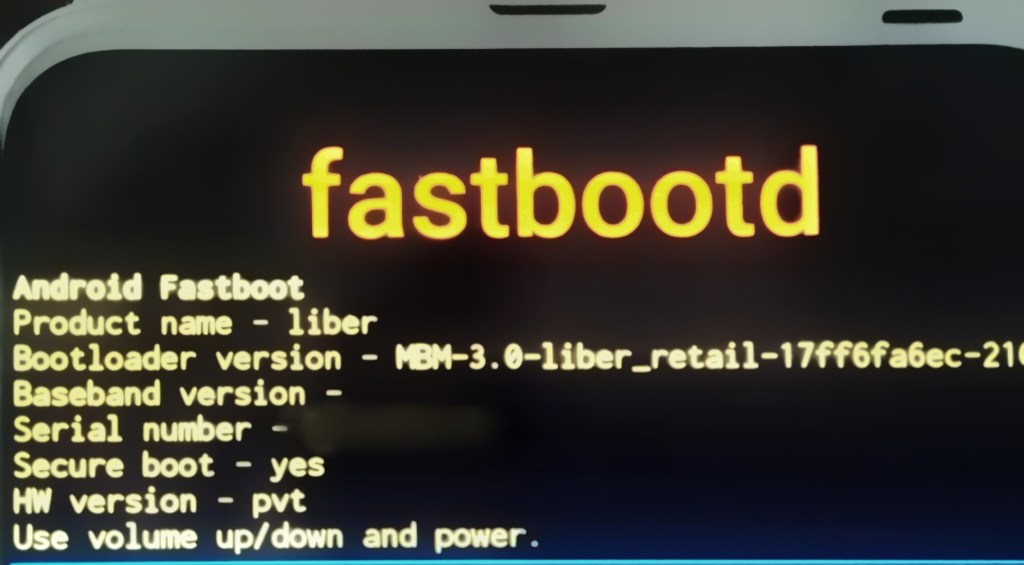
- Now type : fastboot devices to check if your device is connected
- Now type : fastboot -w (This will wipe all the data on phone and it is mandatory or you’ll end up in a bootloop)
- Now enter the following commands one by one:
- fastboot flash boot boot.img
- fastboot flash dtbo dtbo.img
- fastboot flash product product.img
- fastboot flash system system.img
- fastboot flash vbmeta vbmeta.img
If you get some error while performing the flash, try flashing system.img before product.img
After the flashing is complete, type: fastboot reboot
You’re all done, enjoy PE+ ROM
 Liber Guides
Please provide a guide for PIXEL EXPERIENCE Android 11 flashing.
LikeLiked by 1 person
https://androidunleashed.tech.blog/2021/06/24/pixel-experience-official-android-11-flashing-guide/
LikeLike