This Stock ROM is brought to you by Naxo79 and Deivid_21 from Team Nemesis
- It is flashable via Custom Recovery with all SKU variants
- Do not downgrade or you’ll end up in a bootloop
- This will only modify Boot, Dtbo, Logo, Product, System, Vendor & Vbmeta Partitions
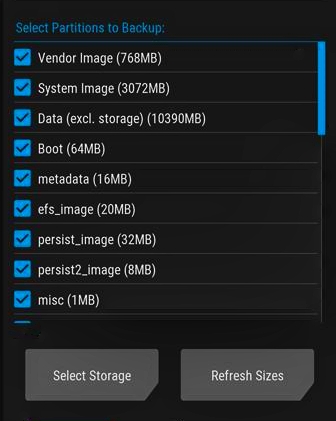
- Take a full Nandroid backup of your device from TWRP, this includes EFS, Persist, FSG, Firmware, Modem, Bluetooth & DSP partitions
For Installation:
- Download the Stock ROM zip from here
- Reboot to recovery using hardware keys: power off > power+volume down > select reboot recovery > done
- Flash the Stock ROM zip
- Go to Reboot > Fastboot
- Connect to PC, fire up Powershell/CMD and type: fastboot devices and proceed if your device is recognised
- Then type: fastboot –set-active=a and fastboot -w
- Then: fastboot reboot
- And you’re done
For Updates:
- Download the latest Stock ROM zip from here
- Reboot to custom recovery using hardware keys
- Install Stock ROM zip
- Reboot to System
- Done!
NOTE: DO NOT ATTEMPT TO LOCK BOOTLOADER AFTER FLASHING THIS AS IT WILL SURELY BRICK YOUR DEVICE SINCE THE RECOVERY IS NOT STOCK, FOR LOCKING BOOTLOADER, SEE HERE
 Liber Guides