Everyone might have a different reason for Relocking the bootloader, or you just want to lock it without a reason, the Steps are very simple, just follow along
You’ve heard that attempting to relock a bootloader might result in booltoop, that’s because how the bootloader works, whenever you reboot a phone (with a locked bootloader) the verified boot process kicks in and checks the firmware. If you have to original stock firmware, it boots Normally, if you have a custom ROM and you tried locking the bootloader, it won’t boot since there is not signed firmware, it thinks of the custom ROM as foreign harmful software, so to prevent any device damage, it doesn’t boot. So, to Relock the bootloader, you have to flash the Original Firmware by Motorola and then lock it.
To flash Motorola signed Stock firmware, [Click here]
After flashing Stock firmware, setup your device, enable USB debugging, and Download Lenovo Motorola Smart Assistant software, Login with your ID and Password, and then connect phone and click on Rescue and select USB debugging mode, it will download the latest stock firmware and Flash it to your device. If the software is unable to detect the phone, try connecting in either fastboot mode or power off state.
After the flashing concludes and your phone reboots, boot it into bootloader and connect to PC and fire up Powershell/CMD in platform-tools folder and type: fastboot devices , if your device is detected, proceed further;
Now enter: fastboot flashing lock
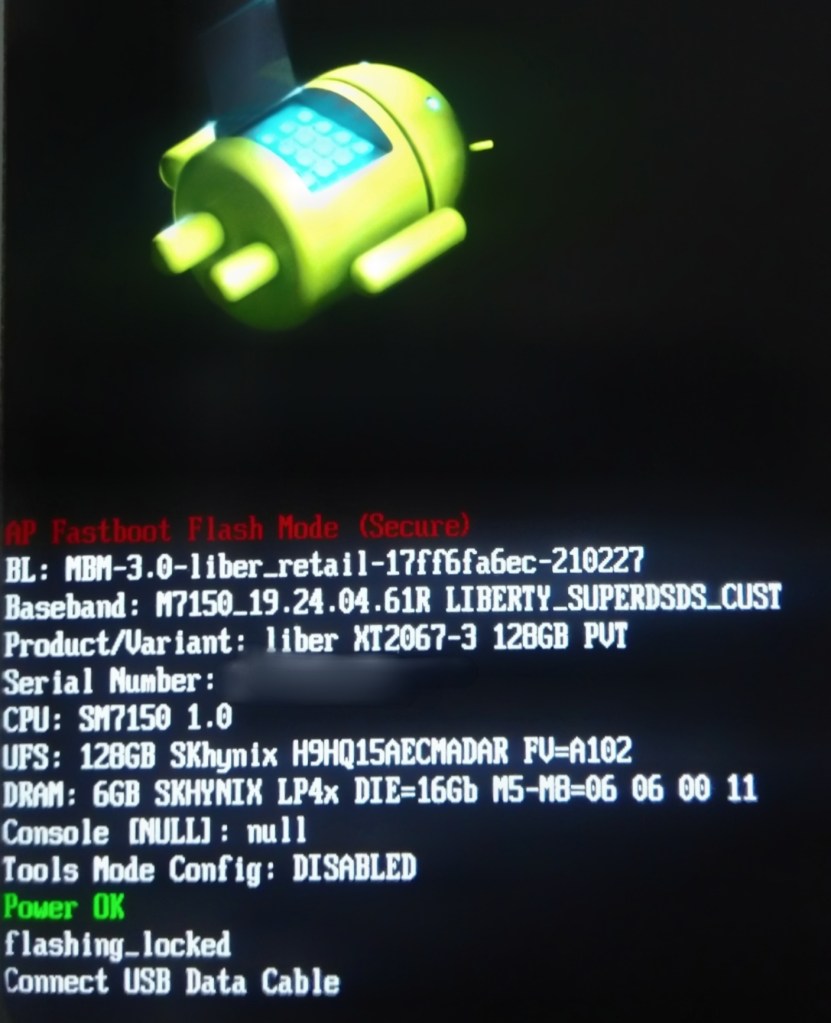
After this step completes, reboot your device, go to bootloader and check the Second-last line, if it says flashing_locked, you’re done, have a nice day😉
 Liber Guides
One thought on “Re-locking the Bootloader”