
If you’ve followed My Guide [This Link] you’re lucky you’ve got a completely compatible Stock Firmware in your PC waiting to be flashed, just follow further instructions
If you didn’t follow the Very first page of my tutorials, you’ll have to download the Stock firmware by yourself from the internet, there are many sites which provide them, there are 3 SKU Variants:
- XT 2067-1
- XT 2067-2
- XT 2067-3
If you have the XT 2067-3 model, you won’t have to search up for the stock ROM, to download it, [CLICK HERE]
Since I have the XT 2067-3 I’ll be updating the Stock ROM as new updates roll out
The Tiny-Fastboot script is made by AlphaEva from Lolinet
Note: Reboot your phone to bootloader first
To Flash:
- Download TinyFastbootScript from HERE
- Unzip the ZIP file and copy the Tools folder and flash.bat file to the Stock Firmware folder
- Run the Flash.bat file and you’ll be greeted by this screen:
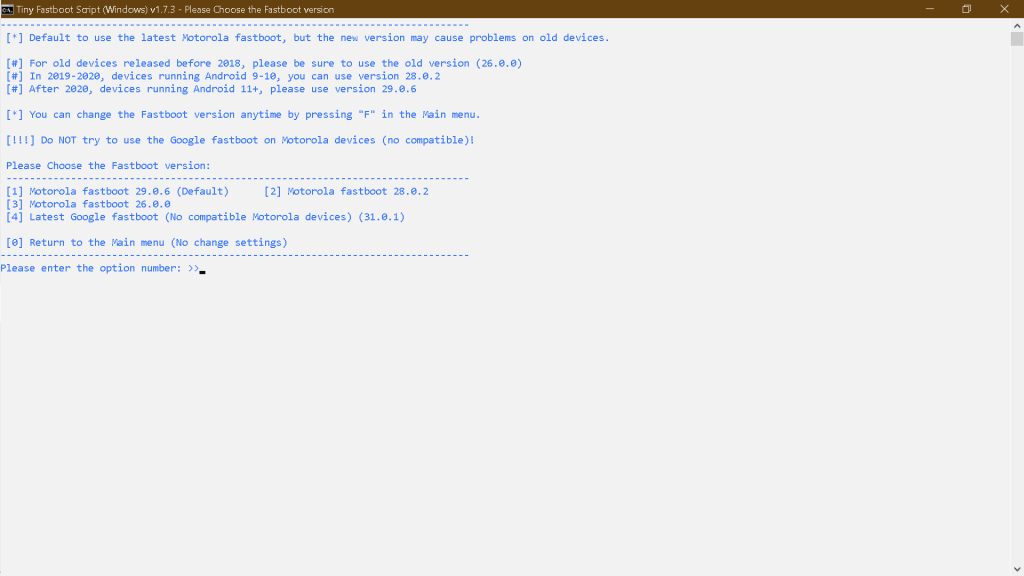
- You have 3 options to choose
- Press 1 if your device was launched in 2020 and later
- Press 2 if your device was launched before 2020
- Press 3 if your device was launched before 2018
- Then press Enter and you’ll get this:
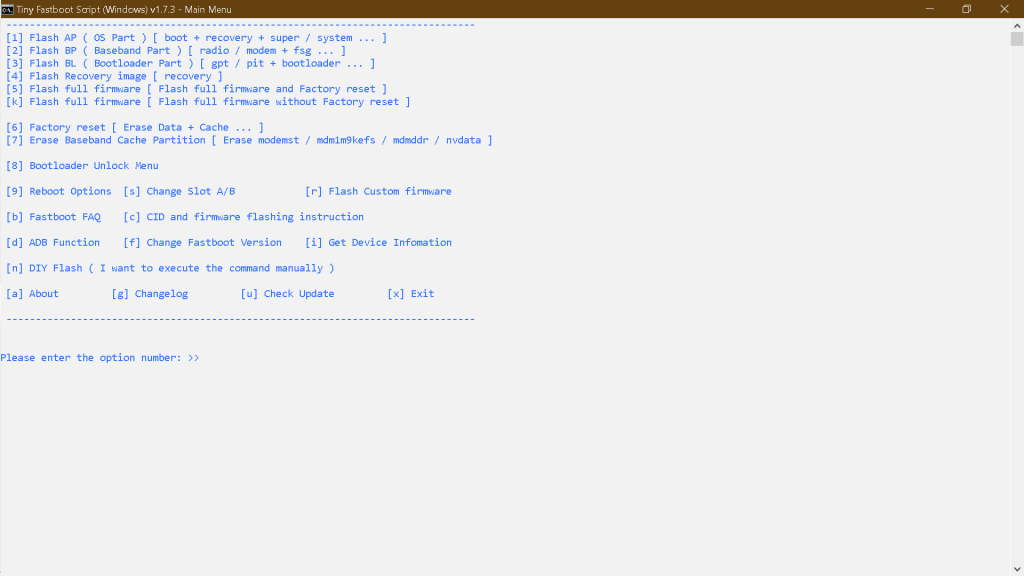
- Now Press 5 and then press Enter
- It will automatically flash all the files, it may take about 5 to 10 minutes
- If you get any error, close and restart, but choose 2 this time on the first screen and see if it works
- Done!
- If you still can’t flash, proceed to use the fastboot method
 Liber Guides
One thought on “Flashing Stock Firmware (TinyFastboot Method)”